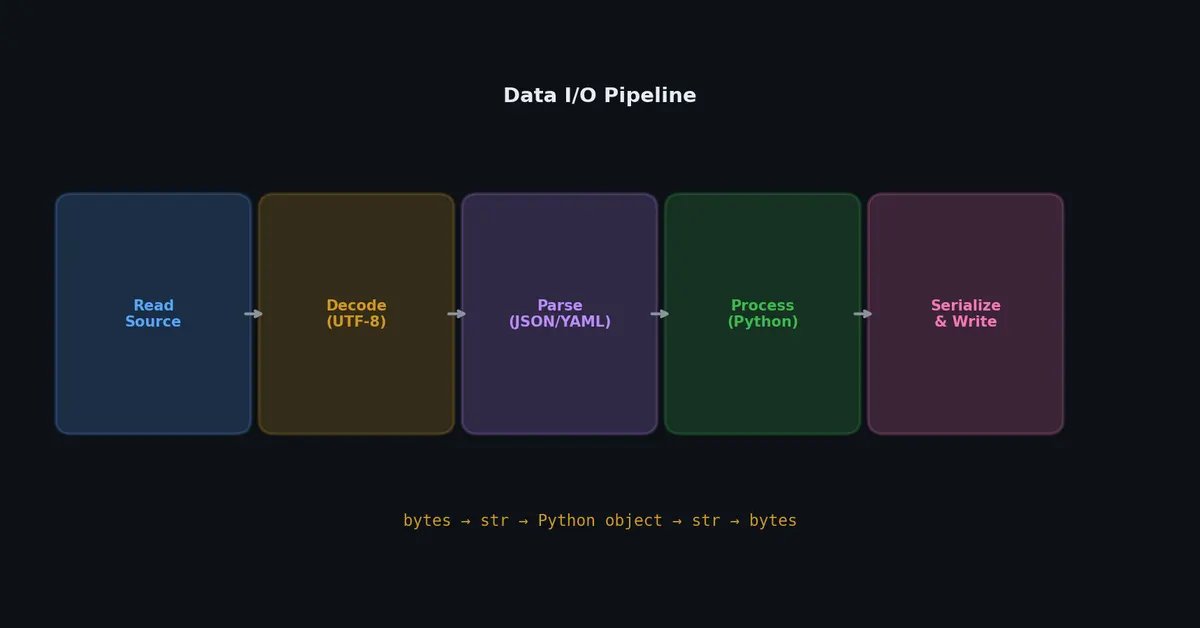
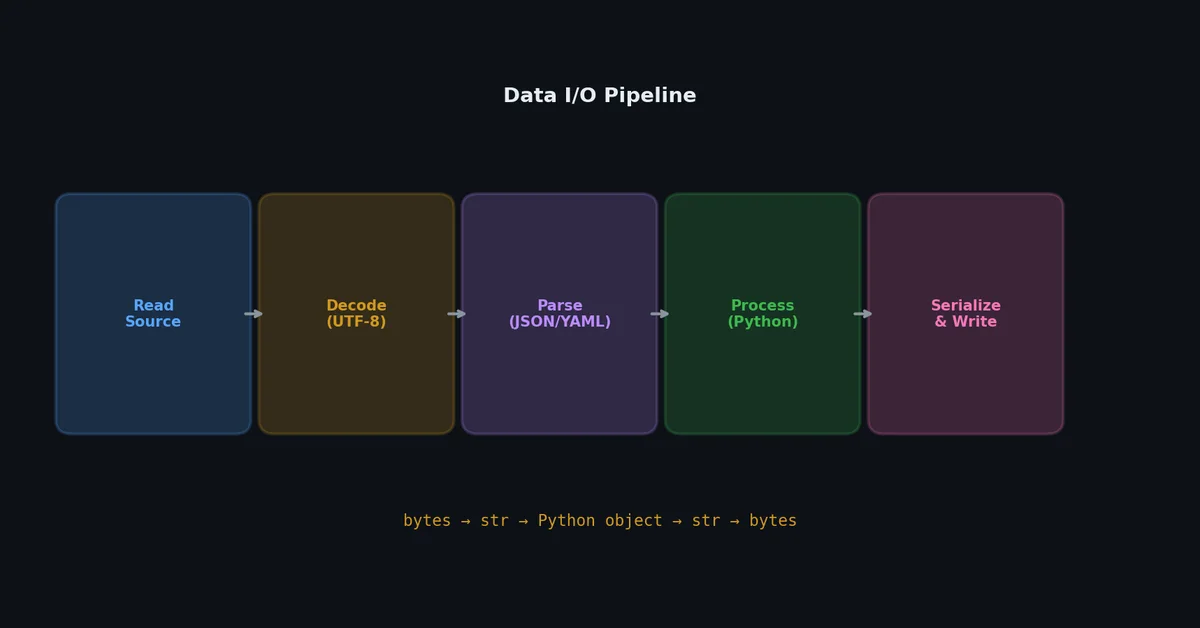
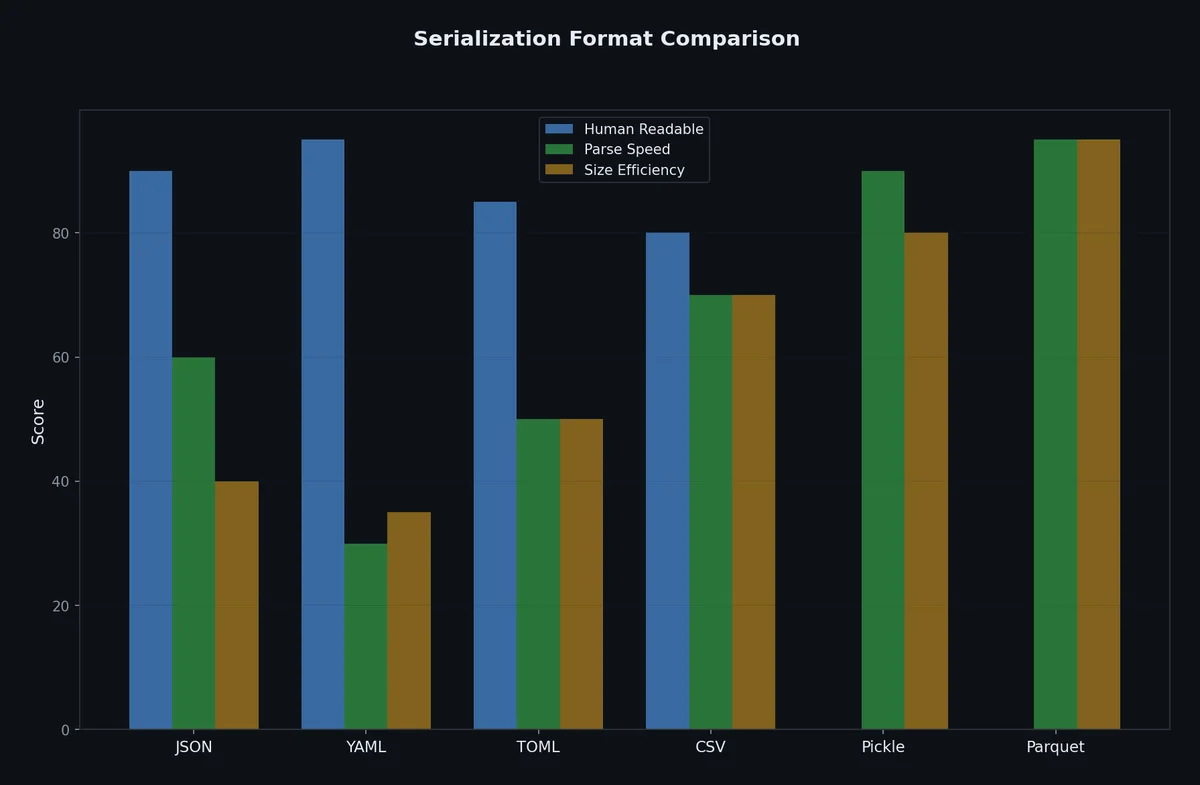
Most programs are just plumbing between data formats. Read a CSV, transform it, write JSON. Load a config file, validate it, pass settings to the application. Every Python developer writes this code, and most of them get encoding, path handling, or serialization subtleties wrong at least once.
This article covers every common I/O pattern in Python, from basic file reading to columnar data formats, with a focus on the pitfalls that waste your time.
# The correct way: always use context managerswithopen("data.txt","r",encoding="utf-8")asf:content=f.read()# What happens without 'with':f=open("data.txt","r")content=f.read()f.close()# Easy to forget, especially if an exception is raised above
The with statement guarantees f.close() runs even if an exception is raised. There is no reason to ever open a file without with.
# Read entire file as stringwithopen("data.txt",encoding="utf-8")asf:content=f.read()# Read as list of lineswithopen("data.txt",encoding="utf-8")asf:lines=f.readlines()# Each line includes the trailing '\n'# Iterate line by line (memory efficient for large files)withopen("data.txt",encoding="utf-8")asf:forlineinf:process(line.rstrip("\n"))# Read specific number of byteswithopen("data.bin","rb")asf:header=f.read(4)# first 4 bytesrest=f.read()# remaining bytes
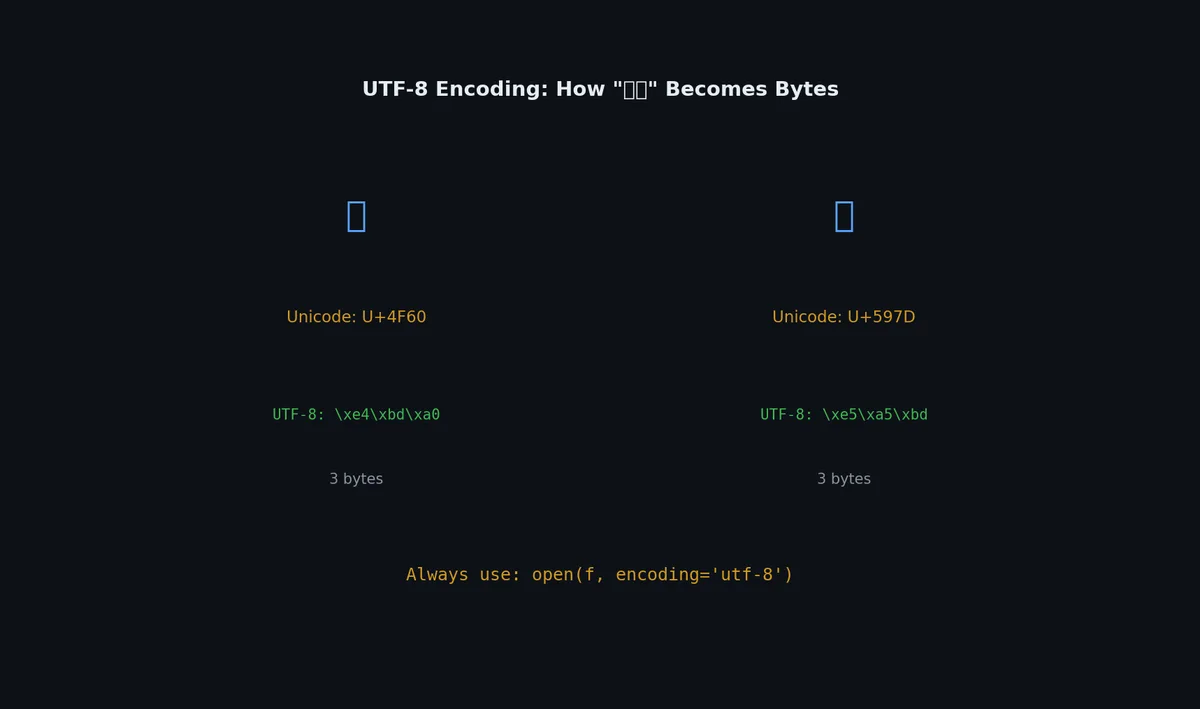
# This works on your Mac but fails on a Windows server:withopen("data.txt")asf:content=f.read()# UnicodeDecodeError: 'cp1252' codec can't decode byte 0xe9
When you do not specify encoding, Python uses the platform default. On macOS and Linux, this is usually UTF-8. On Windows, it is often cp1252 (Windows-1252). This means code that works on your machine breaks in production.
importjsonfromdatetimeimportdatetimefrompathlibimportPathdefjson_serializer(obj):"""Handle types that json.dumps cannot serialize."""ifisinstance(obj,datetime):returnobj.isoformat()ifisinstance(obj,Path):returnstr(obj)ifisinstance(obj,set):returnsorted(obj)ifisinstance(obj,bytes):returnobj.decode("utf-8",errors="replace")raiseTypeError(f"Type {type(obj)} is not JSON serializable")data={"timestamp":datetime.now(),"path":Path("/home/user/data"),"tags":{"python","coding"},}text=json.dumps(data,default=json_serializer,indent=2)
# YAML has surprising type coercion:norway:NO# Parsed as boolean False!version:3.10# Parsed as float 3.1!port:8080# Parsed as integer (usually what you want)zip:01onal # Parsed as string# Always quote ambiguous values:norway:"NO"version:"3.10"
This is a real source of bugs. Use safe_load and quote anything that looks like a boolean or number but is not.
importcsv# As listswithopen("data.csv",encoding="utf-8")asf:reader=csv.reader(f)header=next(reader)forrowinreader:print(row)# ['Alice', '30', 'alice@example.com']# As dictionaries (usually better)withopen("data.csv",encoding="utf-8")asf:reader=csv.DictReader(f)forrowinreader:print(row["name"],row["age"])
importcsv# Write with DictWriterrows=[{"name":"Alice","age":30,"email":"alice@example.com"},{"name":"Bob","age":25,"email":"bob@example.com"},]withopen("output.csv","w",encoding="utf-8",newline="")asf:writer=csv.DictWriter(f,fieldnames=["name","age","email"])writer.writeheader()writer.writerows(rows)
The newline="" parameter is important on Windows. Without it, you get double line breaks.
# Tab-separated valueswithopen("data.tsv",encoding="utf-8")asf:reader=csv.reader(f,delimiter="\t")# Semicolons (common in European locales)withopen("data.csv",encoding="utf-8")asf:reader=csv.reader(f,delimiter=";")# Handle BOM in CSV from Excelwithopen("excel_export.csv",encoding="utf-8-sig")asf:reader=csv.DictReader(f)
pickle is dangerous. Loading a pickle file executes arbitrary code. Never unpickle data from untrusted sources. Pickle files are also not portable between Python versions or between different machines. Use pickle only for temporary caching within your own system.
For working with binary protocols or file formats:
1
2
3
4
5
6
7
8
9
10
importstruct# Pack data into bytespacked=struct.pack(">IHB",1024,256,42)# > = big-endian, I = uint32, H = uint16, B = uint8# Result: b'\x00\x00\x04\x00\x01\x00\x2a'# Unpack bytes into valuesvalues=struct.unpack(">IHB",packed)# (1024, 256, 42)
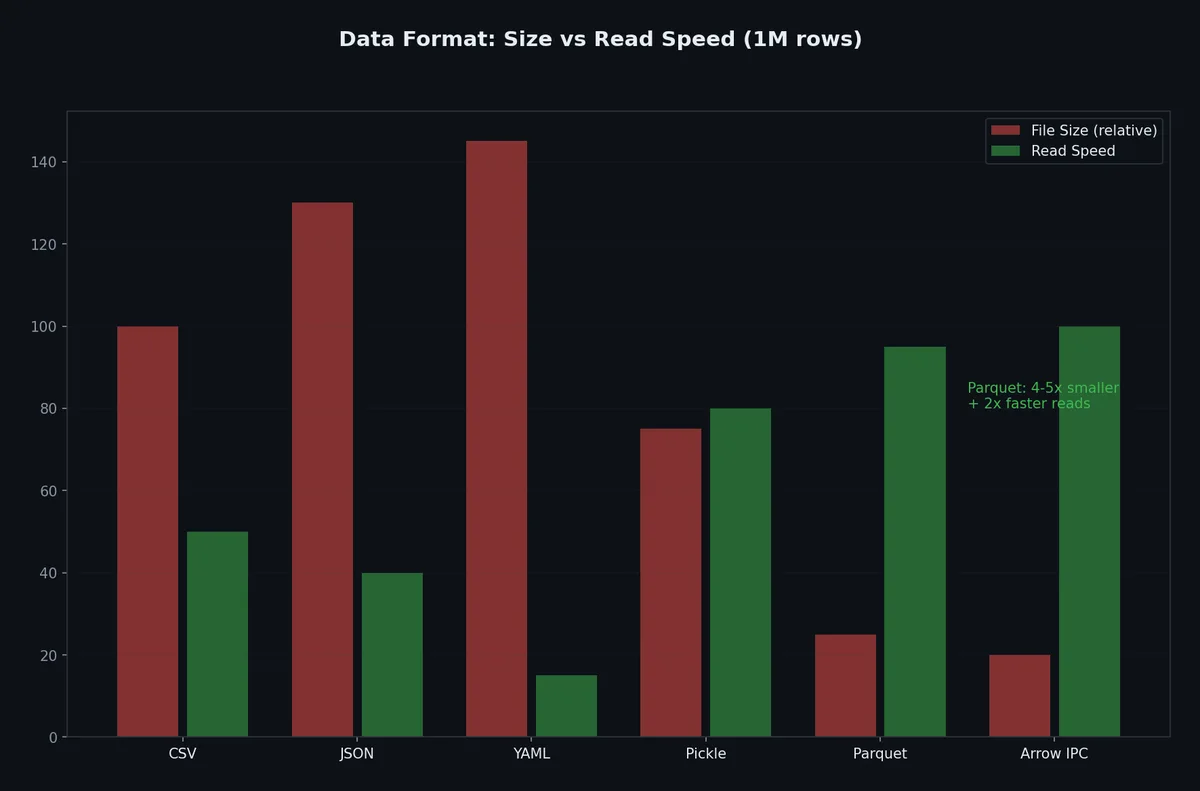
For large datasets, row-oriented formats (CSV, JSON) are slow and wasteful. Parquet stores data in columns, which enables compression and fast analytical queries.
1
(.venv) $ pip install pyarrow pandas
1
2
3
4
5
6
7
8
9
10
11
importpandasaspd# Read CSV, write Parquetdf=pd.read_csv("large_data.csv")df.to_parquet("large_data.parquet",engine="pyarrow")# Read Parquetdf=pd.read_parquet("large_data.parquet")# Read specific columns (Parquet can skip unused columns)df=pd.read_parquet("large_data.parquet",columns=["name","age"])
Size and speed comparison for a 1 million row dataset:
Format
File Size
Write Time
Read Time
Read 2 Columns
CSV
120 MB
8.2s
5.1s
5.1s (reads all)
JSON
200 MB
12.5s
9.8s
9.8s (reads all)
Parquet
15 MB
1.8s
0.4s
0.1s
Parquet is 8x smaller and 12x faster to read than CSV for this example.
frompathlibimportPathdefprocess_large_log(path:Path)->dict[str,int]:"""Count log levels without loading entire file into memory."""counts:dict[str,int]={}withopen(path,encoding="utf-8")asf:forlineinf:# yields one line at a timelevel=line.split("|",2)[1].strip()if"|"inlineelse"UNKNOWN"counts[level]=counts.get(level,0)+1returncounts
Python file objects are iterators — for line in f reads one line at a time, never loading the full file.
defsha256_file(path:Path,chunk_size:int=65536)->str:"""Hash a large file without loading it all into memory."""importhashlibh=hashlib.sha256()withopen(path,"rb")asf:whilechunk:=f.read(chunk_size):h.update(chunk)returnh.hexdigest()
The walrus operator (:=) makes chunk-reading concise. Chunk sizes of 64KB-1MB balance syscall overhead against memory.
fromtypingimportIteratorimportgzipimportjsondefread_jsonl_gz(path:Path)->Iterator[dict]:"""Stream records from a gzipped JSON Lines file."""withgzip.open(path,"rt",encoding="utf-8")asf:forlineinf:ifline.strip():yieldjson.loads(line)deffilter_recent(records:Iterator[dict],days:int=7)->Iterator[dict]:"""Keep only records from the last N days."""fromdatetimeimportdatetime,timedeltacutoff=datetime.now()-timedelta(days=days)forrecordinrecords:ifdatetime.fromisoformat(record["timestamp"])>cutoff:yieldrecorddefextract_errors(records:Iterator[dict])->Iterator[dict]:"""Keep only error-level records."""forrecordinrecords:ifrecord.get("level")=="ERROR":yieldrecord# Compose: nothing runs until you iteratepipeline=extract_errors(filter_recent(read_jsonl_gz(Path("app.jsonl.gz"))))# Process one record at a time — constant memory regardless of file sizeforerrorinpipeline:print(f"{error['timestamp']}: {error['message']}")
For random-access patterns on large files, mmap maps file contents directly into virtual memory:
1
2
3
4
5
6
7
8
9
10
11
12
13
14
15
16
importmmapfrompathlibimportPathdefsearch_in_large_file(path:Path,pattern:bytes)->list[int]:"""Find all occurrences of pattern in a large file using mmap."""offsets=[]withopen(path,"rb")asf:withmmap.mmap(f.fileno(),0,access=mmap.ACCESS_READ)asmm:pos=0whileTrue:pos=mm.find(pattern,pos)ifpos==-1:breakoffsets.append(pos)pos+=1returnoffsets
The OS handles paging — only accessed regions are loaded into physical RAM.
Protobuf handles evolution safely if you follow these rules:
Never reuse field numbers — deleted fields should be reserved
Add new fields with new numbers — old code ignores unknown fields
Don’t change field types — int32 to string breaks existing data
Use optional for fields that may not always be set
1
2
3
4
5
6
7
8
messageUser{int32id=1;stringname=2;stringemail=3;optionalstringphone=6;// added later — old data still works
reserved4,5;// previously used, now deleted
reserved"old_field_name";}
importduckdb# Query a CSV file with SQLresult=duckdb.sql("""
SELECT department, COUNT(*) as headcount, AVG(salary) as avg_salary
FROM 'employees.csv'
GROUP BY department
ORDER BY avg_salary DESC
""").fetchdf()# Returns a pandas DataFrame# Query Parquet files (even remote)result=duckdb.sql("""
SELECT date_trunc('month', created_at) as month, COUNT(*) as orders
FROM 'orders/*.parquet'
GROUP BY 1
ORDER BY 1
""")# Query JSON Linesresult=duckdb.sql("""
SELECT json_extract_string(line, '$.user.name') as user_name,
json_extract_string(line, '$.action') as action
FROM read_json_auto('events.jsonl')
WHERE json_extract_string(line, '$.level') = 'ERROR'
""")
fromdotenvimportload_dotenvimportosload_dotenv()# Reads .env into os.environdatabase_url=os.environ["DATABASE_URL"]api_key=os.environ["API_KEY"]debug=os.environ.get("DEBUG","false").lower()=="true"
Always add .env to .gitignore. Commit a .env.example with placeholder values:
Files and data formats are the I/O layer. But what happens when your program needs to do many I/O operations at once, like downloading 100 files or querying 50 APIs? Sequential execution wastes most of its time waiting. In the next article, we will tackle concurrency with threads, processes, and asyncio, and learn which tool to use for which problem.