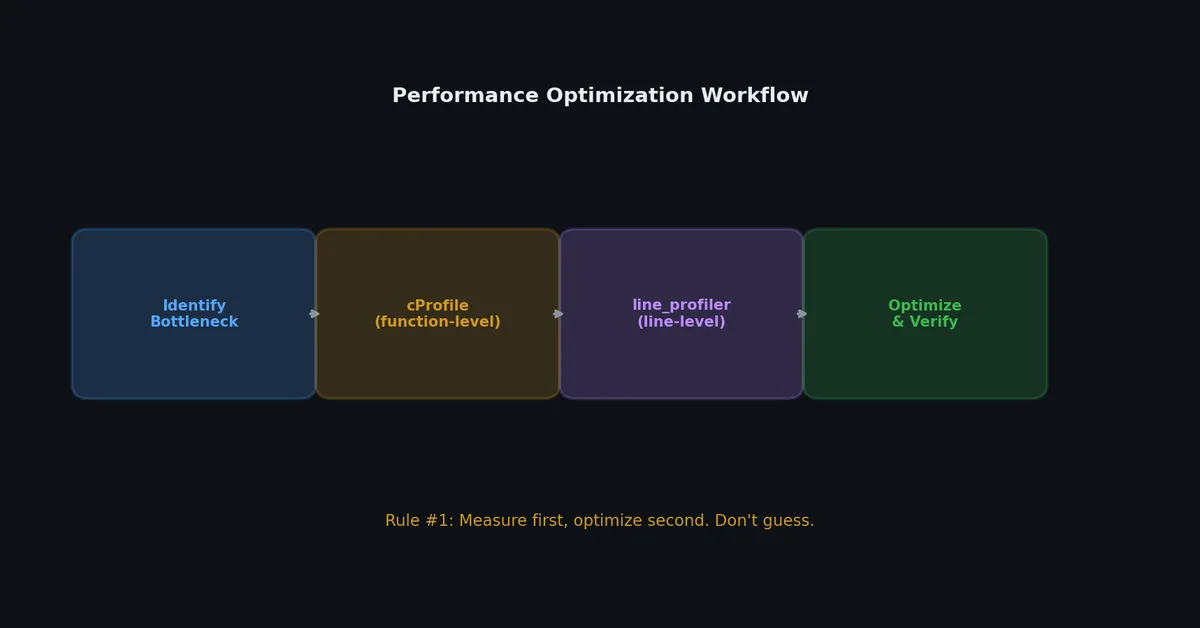
Donald Knuth’s famous quote is often half-remembered. The full version is: “We should forget about small efficiencies, say about 97% of the time: premature optimization is the root of all evil. Yet we should not pass up our opportunities in that critical 3%.” The second sentence is the key. Performance work isn’t about making everything fast; it’s about finding the 3% that matters and making that fast.
This article is about finding that 3%. You’ll learn to profile first, optimize second, and measure the impact of each change.
perf_counter() uses the highest-resolution timer available. time.time() is lower resolution on some platforms. Always use perf_counter() for benchmarking.
# Command line$ python -m timeit -n 1000000'"hello" + " " + "world"'1000000 loops, best of 5: 0.0523 usec per loop
$ python -m timeit -n 1000000'f"hello world"'1000000 loops, best of 5: 0.0168 usec per loop
$ python -m timeit -n 1000000'" ".join(["hello", "world"])'1000000 loops, best of 5: 0.0891 usec per loop
1
2
3
4
5
6
7
8
9
10
11
# In codeimporttimeit# Time a functiontime_taken=timeit.timeit(stmt='sorted(data)',setup='import random; data = random.sample(range(10000), 1000)',number=1000,)print(f"1000 iterations: {time_taken:.4f}s")print(f"Per iteration: {time_taken/1000*1000:.4f}ms")
Total time spent in this function (excluding subfunctions)
percall
tottime / ncalls
cumtime
Cumulative time (including subfunctions)
percall
cumtime / ncalls
Sort options.
1
2
3
$ python -m cProfile -s tottime my_script.py # By total time in function$ python -m cProfile -s cumtime my_script.py # By cumulative time (default, most useful)$ python -m cProfile -s calls my_script.py # By number of calls
importcProfileimportpstatsdefmain():data=load_data("input.csv")result=process(data)write_output(result)# Profile and save resultscProfile.run("main()","profile_output.prof")# Analyze saved resultsstats=pstats.Stats("profile_output.prof")stats.sort_stats("cumulative")stats.print_stats(20)# Top 20 functions
# my_script.py@profile# This decorator is recognized by kernprofdefprocess_data(records):results=[]forrecordinrecords:# Validateifnotrecord.get("id"):continue# Transformname=record["name"].strip().lower()score=float(record["score"])# Normalizenormalized=score/100.0# Storeresults.append({"id":record["id"],"name":name,"score":normalized,})returnresults
fromfunctoolsimportcache@cachedefexpensive_computation(x:int,y:int)->float:"""Result is cached forever (until process exits)."""time.sleep(2)returnx**y/(x+y)# First call: 2 secondsresult1=expensive_computation(10,20)# Second call with same args: instantresult2=expensive_computation(10,20)
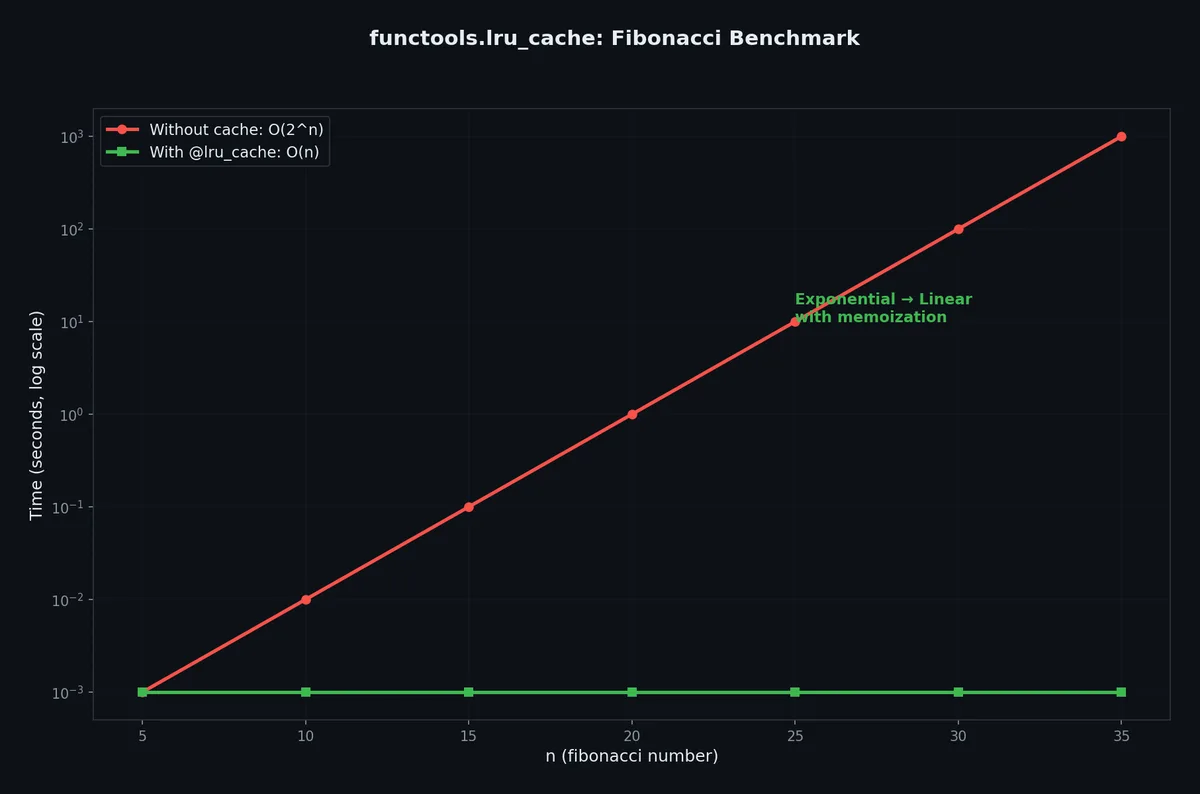
@lru_cache(maxsize=256)deffetch_user(user_id:int)->dict:returndatabase.query(f"SELECT * FROM users WHERE id = {user_id}")# After some usage:print(fetch_user.cache_info())# CacheInfo(hits=847, misses=52, maxsize=256, currsize=52)# Clear the cachefetch_user.cache_clear()
Functions that return mutable objects (lists, dicts)
Frequently repeated calls with same args
Functions where args are not hashable
Read-heavy, write-rarely data
Real-time data that changes frequently
Warning:lru_cache stores results in memory. For functions that return large objects or are called with many different arguments, the cache can consume significant memory. Set maxsize to limit it.
fromfunctoolsimportlru_cache@lru_cache(maxsize=32)defget_default_config()->dict:return{"timeout":30,"retries":3}# Danger: callers can mutate the cached dict!config=get_default_config()config["timeout"]=60# This modifies the cached object!# Next call returns the mutated version:config2=get_default_config()print(config2["timeout"])# 60, not 30!# Fix: return a copy or use frozen typesimportcopydefget_default_config_safe()->dict:returncopy.deepcopy(_get_default_config_cached())@lru_cache(maxsize=32)def_get_default_config_cached()->dict:return{"timeout":30,"retries":3}
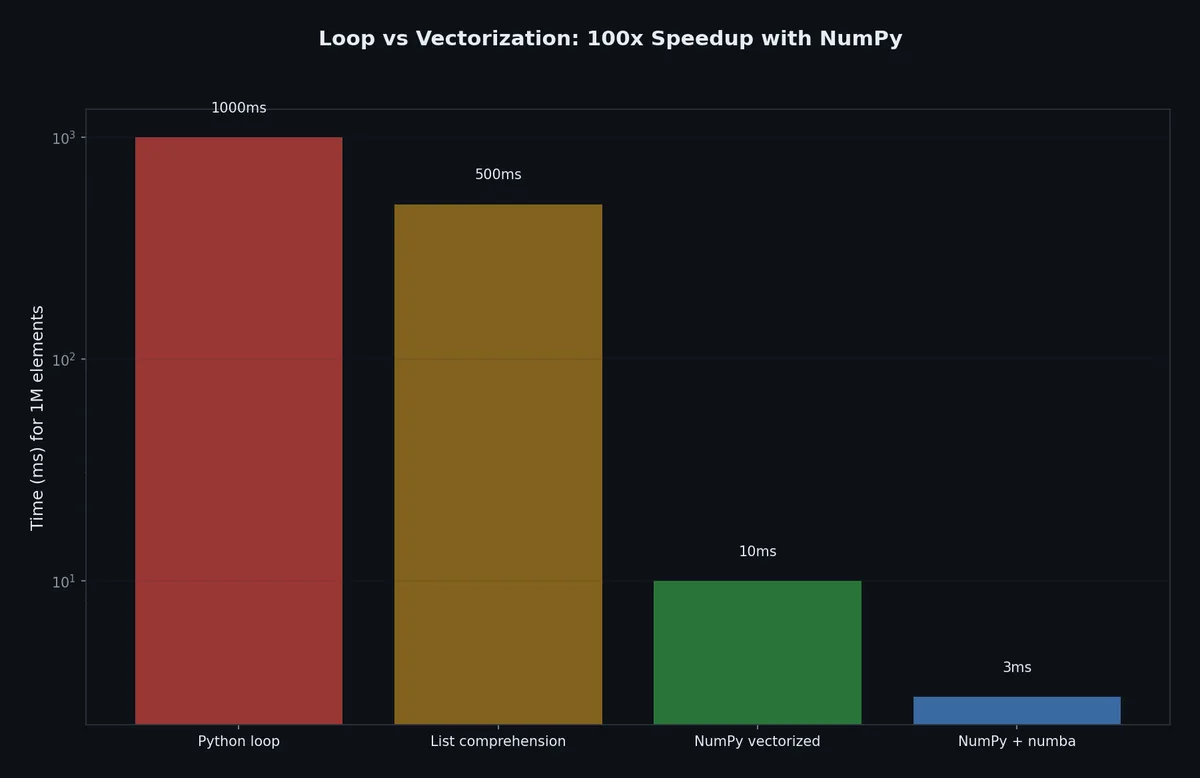
Python loops are slow because each iteration involves type checking, reference counting, and bytecode interpretation. NumPy pushes the loop into optimized C code.
importnumpyasnpdata=np.random.randn(1_000_000)# Instead of a loop to filter:# Badfiltered=[xforxindataifx>0]# Good (100x faster)filtered=data[data>0]# Instead of a loop to transform:# Badresult=[x**2+2*x+1forxindata]# Goodresult=data**2+2*data+1# Instead of a loop to aggregate:# Badtotal=sum(xforxindataifx>0)# Goodtotal=data[data>0].sum()
Generators produce values one at a time instead of creating the entire collection in memory.
1
2
3
4
5
6
7
8
9
10
# This creates a list of 10 million items in memory (~80MB)squares_list=[x**2forxinrange(10_000_000)]# This creates nothing until iterated (~0MB)squares_gen=(x**2forxinrange(10_000_000))# Both work the same way in a for loop:forsqinsquares_gen:ifsq>1000:break
defread_large_file(path:str):"""Read a file line by line without loading it all into memory."""withopen(path,encoding="utf-8")asf:forlineinf:yieldline.strip()deffilter_records(lines):"""Filter records lazily."""forlineinlines:ifline.startswith("ERROR"):yieldlinedefparse_records(lines):"""Parse records lazily."""forlineinlines:parts=line.split("\t")yield{"level":parts[0],"message":parts[1]}# Pipeline: each stage processes one record at a time# Memory usage is constant regardless of file sizelines=read_large_file("huge_log.txt")# Lazyerrors=filter_records(lines)# Lazyrecords=parse_records(errors)# Lazyforrecordinrecords:# Only here does processing actually happenprint(record["message"])
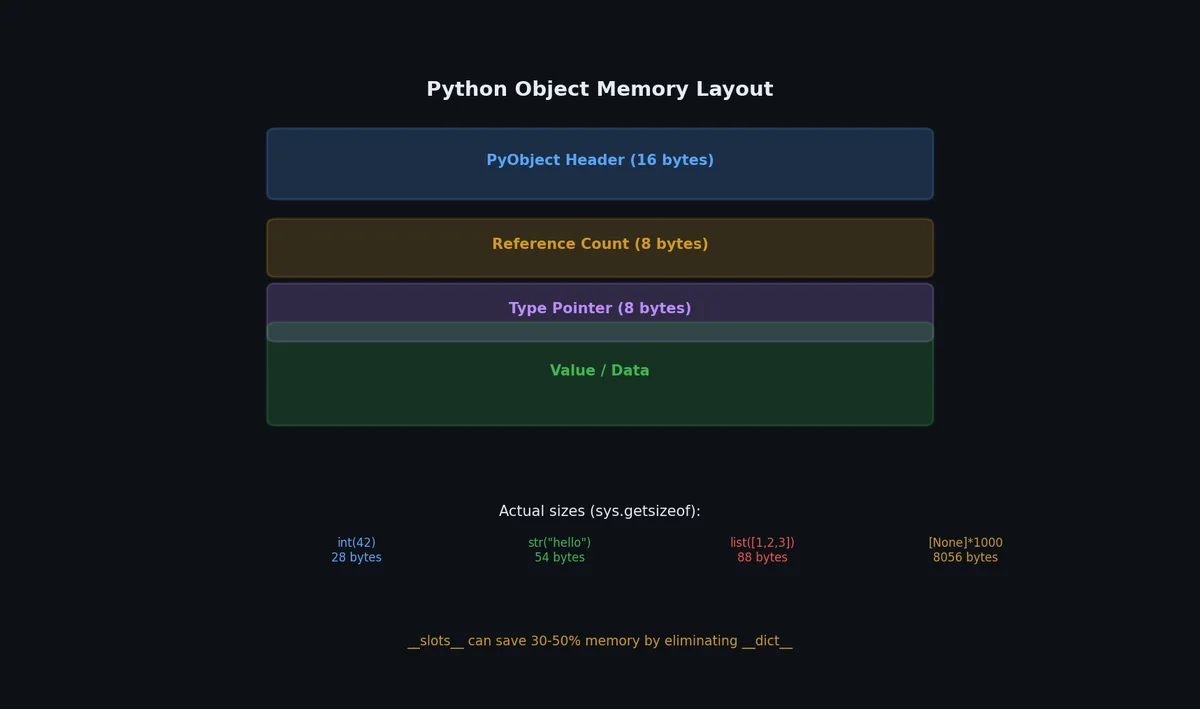
Roughly 3x memory savings. Use __slots__ when you create millions of instances of the same class (data points, graph nodes, ORM rows).
Trade-off:__slots__ objects cannot have arbitrary attributes added dynamically, and they do not support multiple inheritance with other __slots__ classes easily.
Cython is a big topic. For most applications, the optimization techniques earlier in this article (vectorization, caching, generators) are sufficient. Use Cython when you’ve verified with profiling that a specific hot loop is the bottleneck and NumPy cannot help because the computation is not easily vectorizable.
Scalene ↗
profiles CPU time, memory allocation, and GPU usage simultaneously. Unlike cProfile, it distinguishes Python time from native (C/Rust) time and requires zero code changes.
Polars’ lazy mode builds a query plan and optimizes before execution:
1
2
3
4
5
6
7
8
9
10
# Lazy: build plan, optimize, then executeresult=(pl.scan_parquet("data/*.parquet")# doesn't read yet.filter(pl.col("date")>"2024-01-01").group_by("region").agg(pl.col("revenue").sum()).sort("revenue",descending=True).head(10).collect()# executes the optimized plan)
The optimizer applies predicate pushdown (filter before reading all columns), projection pushdown (read only needed columns), and common subexpression elimination.
importasyncioimporttimefromcontextlibimportasynccontextmanagerfromtypingimportAsyncIterator@asynccontextmanagerasyncdefmeasure_async(label:str)->AsyncIterator[None]:"""Measure wall-clock time of an async block."""start=time.perf_counter()try:yieldfinally:elapsed=time.perf_counter()-startprint(f"{label}: {elapsed:.3f}s")asyncdefpipeline():asyncwithmeasure_async("fetch"):data=awaitfetch_all_pages()asyncwithmeasure_async("transform"):result=awaittransform(data)asyncwithmeasure_async("upload"):awaitupload(result)
A blocked event loop means synchronous code is running where async is expected:
 1
 2
 3
 4
 5
 6
 7
 8
 9
10
11
importasyncioasyncdefdetect_blocking():"""Warn when event loop is blocked for >100ms."""loop=asyncio.get_running_loop()loop.slow_callback_duration=0.1# seconds# Enable debug mode for detailed warningsloop.set_debug(True)asyncio.run(detect_blocking(),debug=True)
importasyncioimporttimeasyncdefbenchmark_concurrent(func,n_requests:int=100,concurrency:int=10,)->dict:"""Benchmark an async function with controlled concurrency."""semaphore=asyncio.Semaphore(concurrency)latencies=[]asyncdefwrapped():asyncwithsemaphore:start=time.perf_counter()awaitfunc()latencies.append(time.perf_counter()-start)wall_start=time.perf_counter()asyncwithasyncio.TaskGroup()astg:for_inrange(n_requests):tg.create_task(wrapped())wall_time=time.perf_counter()-wall_startlatencies.sort()return{"total_requests":n_requests,"concurrency":concurrency,"wall_time":f"{wall_time:.2f}s","throughput":f"{n_requests/wall_time:.1f} req/s","p50":f"{latencies[len(latencies)//2]*1000:.1f}ms","p95":f"{latencies[int(len(latencies)*0.95)]*1000:.1f}ms","p99":f"{latencies[int(len(latencies)*0.99)]*1000:.1f}ms",}
Profile before you optimize. Measure the impact after you optimize. If the optimization makes the code harder to read and the speedup is less than 2x, revert it. Readable code that takes 0.2 seconds is better than clever code that takes 0.15 seconds, because the person who maintains it (including future you) will spend more time understanding the clever version than the 0.05 seconds it saves per execution.
Over eight articles, we have built a complete Python engineering toolkit:
Environment — pyenv, venv, pip-tools for reproducible setups
Structure — packages, imports, and CLI tools
Testing — pytest, fixtures, parametrize, and debugging
Quality — type hints, ruff, black, and pre-commit
I/O — files, encodings, and serialization formats
Concurrency — threads, processes, and asyncio
Packaging — building, publishing, and Docker
Performance — profiling, caching, and vectorization
These are not theoretical topics. They are the daily tools of professional Python development. The difference between a script that works and a project that scales is not cleverness — it is engineering discipline applied consistently.