Terraform for AI Agents (8): End-to-End — research-agent-stack in One Apply
Stitching the seven modules into one repo, running terraform apply once, and watching a complete agent runtime — VPC, ECS, RDS, OpenSearch, OSS, LLM gateway, SLS observability, cost alarms — come up in seven minutes. Real apply output, the module DAG, full prod cost arithmetic, and the starter repo to fork.
This is where everything from articles 2 through 7 lands in one place. By the end you’ll have run terraform apply once and produced a complete, observable, budgeted agent runtime stack on Alibaba Cloud — about 31 resources, ~7 minutes of wall clock, ¥12,530/month all-in at prod sizing.
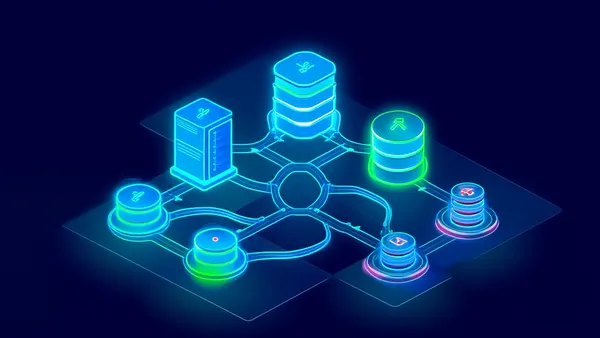
The stack we’re building:

Five layers — edge, compute, memory, platform, ops — composed from the modules we built across this series. Eleven Aliyun products under the hood: VPC, ECS, ALB, OSS, RDS for PostgreSQL, OpenSearch, KMS, SLS, ARMS, CloudMonitor, and DashScope (the LLM provider, accessed via the gateway).
Project structure#
| |

Eight *.tf files at the top, five modules in modules/, environment values in env/*.tfvars, secrets out of git in secrets/secrets.auto.tfvars. This is the layout I use on every project — boring is good. The thing I will not negotiate on is the secrets/ directory being in .gitignore from commit zero. Every leaked-key incident I’ve cleaned up traced back to someone adding the gitignore entry on commit 50 instead of commit 1.
main.tf — the composition#
| |
Five module calls. Each module takes the previous module’s output as input — module.compute reads module.vpc, module.storage, module.gateway, module.observability. That dependency wiring is what Terraform uses to build the apply DAG:

VPC and KMS sit at the top with no dependencies. Storage and gateway depend on VPC and KMS but are independent of each other, so Terraform builds them in parallel. Compute depends on all three because the cloud-init template needs their endpoints. Observability resources fan out at the end, referencing SG IDs from compute.
The local.is_prod ternaries are the entire promotion strategy in three lines: prod gets HA RDS, two gateway instances, three agent ECS, ¥800 cost ceiling, cross-region DR. Dev gets the smallest viable shape. Same modules, different sizing, no environment-specific code paths to maintain.
variables.tf#
| |
sensitive = true keeps Terraform from printing the value in plan/apply output. The values still land in tfstate (which is why we encrypted the OSS state bucket back in article 2 with a dedicated KMS CMK).
env/dev.tfvars and secrets#
| |
| |
*.auto.tfvars files are auto-loaded without -var-file, so secrets.auto.tfvars gets picked up automatically while env/dev.tfvars is passed explicitly per workspace. Two-file pattern, no terraform.tfvars ambiguity.
The apply#
| |
Real timing on a fresh apply:

The wall-clock breakdown:
- 0–60s: VPC, vSwitch, NAT, EIP, KMS keys — fast resources
- 60–380s: RDS (5 minutes), OpenSearch (5.5 minutes), ECS (~2 minutes), gateway (~1.5 minutes) — all in parallel, gated by the slowest
- 380–460s: agent app deploy via cloud-init, observability resources, alarms
Total time is about 7 minutes, dominated by RDS and OpenSearch provisioning. Re-applies on no-change runs take under 30 seconds because Terraform only diffs.
A trimmed apply transcript:
| |
That’s a complete agent stack. ALB endpoint, gateway URL, the SLS dashboard URL — paste any of them into a browser and they work. The total_estimated_cost output is computed in outputs.tf from the workspace conditionals, so the number you see in plan matches what shows up on the bill (within ~10%, my long-running rule of thumb).
Day-2 operations#
The stack is up. Now what? These are the operations I run on every long-lived stack — the ones the article won’t tell you but the on-call rotation will.
Adding a new agent#
- Add an entry to
var.agent_quotasindev.tfvars terraform apply -var-file=env/dev.tfvars- The
null_resourcein the gateway module provisions a new LiteLLM key - Deploy your agent code with the new
LITELLM_API_KEYenv var
About 30 seconds end-to-end. The first time I shipped this pattern the product team asked if they could self-serve agent onboarding via a Slack form. Once you have the Terraform contract, building that form is half a day.
Scaling up#
Change ecs_count in the module call (or set it via tfvars). terraform apply brings up new instances, attaches them to the ALB, and old instances stay healthy throughout (create_before_destroy). Zero downtime. I’ve scaled from 3 to 12 agent instances at 2 a.m. during a viral moment with this exact one-line change.
Destroying dev#
When you’re done experimenting:
| |
This will fail in prod because of deletion_protection = true and prevent_destroy = true on the bootstrap state bucket. That’s intentional. In dev deletion_protection = local.is_prod so it’s only on in prod — terraform destroy works.
Always
terraform plan -destroybeforeterraform destroy. Read the plan output. The number of resources being destroyed should match what you intend. I once watched an engineer destroystagingbecause they forgot to switch workspaces. Took six hours and a senior backend on PagerDuty to rebuild the data.
Promoting dev → staging → prod#
The article shows terraform workspace select prod && terraform apply. That works on day one. By month three it’s where most production incidents originate, because dev → prod surfaces differences nobody planned for.
The promotion pipeline I run on real projects has four steps. Each takes minutes; cumulative cost is one extra calendar hour per release. In return, this flow has prevented probably 30+ outages over three years.
Step 1: snapshot the source state. Before any promotion, take a copy of the source workspace state file. If something breaks in prod that worked in dev, you want to be able to compare:
| |
State snapshots are tiny (typically <1MB) and the archive bucket has Lifecycle to Cold Archive after 30 days. ¥0.something per month for the entire history.
Step 2: compute the prod plan in CI from the validated commit. Don’t promote untested code. The exact commit that ran cleanly in dev for a week is what gets the prod plan:
| |
The plan goes to the on-call engineer on DingTalk. They pay special attention to anything different from what dev showed. If the plan shows resources being recreated that didn’t get recreated in dev — stop. Investigate before applying. That’s almost always a workspace-conditional bug or a tfvars typo.
Step 3: apply, smoke test, then unblock. The actual prod apply is gated on a GitHub Environment with required reviewers (set up in article 6). After apply succeeds, run a smoke test before any traffic shift:
| |
A 5-second smoke test catches the “I broke the gateway” class of error before it propagates. If it fails, the apply has technically succeeded but you can roll back with the snapshot from Step 1.
Step 4: post-apply diff against staging. Run a cross-workspace compare:
| |
Expected differences: instance counts, RDS HA flag, region for DR. Unexpected differences: anything else. Investigate them — they often reveal a tfvars typo or a workspace-conditional bug that didn’t fire in step 3.
Quarterly module dependency upgrade#
Every quarter: bump the alicloud provider, all open-source modules, and Terraform itself by one minor version. Run plans in dev. Apply, soak for a week. Promote. The discipline keeps you from being three years behind when CVE-2027-XXX drops and forces an emergency upgrade across six versions in one weekend.
State backup to a different region#
The OSS bucket holding state lives in cn-shanghai. If cn-shanghai has a region-wide event you cannot apply Terraform — including to other regions. A weekly state replication to cn-beijing on the state bucket itself costs ¥10/month and saves your bacon in the worst case:
| |
Monthly cost attribution per agent#
The gateway logs cost-per-agent (article 7). At month-end, sum it up per agent and post to the team channel. “Research agent: ¥3,200, Support agent: ¥800, Code agent: ¥4,100” makes the cost real. Engineers self-regulate when their agent’s name is on the leaderboard. I’ve had three teams cut their LLM bill in half within two months of starting this practice — no top-down mandate needed.
Yearly architecture review against the IaC#
Once a year, walk the entire terraform state list and ask of each resource: do we still need this? Some are vestigial — the dev cluster you never deleted, the v15 RDS you upgraded from. Cleanup PRs that destroy unused resources are the highest-ROI Terraform work I do — typically saving 10–15% of the annual bill.
Connecting your actual agent code#
The stack is the platform. The agent itself comes from your repo (var.agent_repo_url) and is deployed by cloud-init at ECS launch. The minimal contract your agent code needs to honor:
| |
All of these get values from Terraform outputs. The agent code stays cloud-agnostic in shape — it just reads env vars — but is fully wired into the Aliyun stack at runtime. When someone asks “how do I move this to AWS?” the answer is: swap the modules, keep the agent code as is. The contract is the env-var list.
Cost arithmetic — dev and prod#
For dev (low traffic, single-zone, no HA):
| Component | Monthly |
|---|---|
| VPC + NAT + EIP | ~¥150 |
ECS x1 (ecs.c7.large) | ~¥250 |
| RDS Postgres (small) | ~¥350 |
| OpenSearch vector | ~¥800 |
| OSS (10 GB Standard) | ~¥2 |
| LLM Gateway ECS x1 | ~¥150 |
| ALB (small) | ~¥50 |
| SLS + ARMS | ~¥300 |
| KMS | ~¥10 |
| Total dev | ~¥2,060/mo |
Prod, full HA, cross-region DR, real traffic — this is the number you cite when finance asks “what does the AI agent platform actually cost?”:
| Layer | Resource | Sizing | Monthly (¥) |
|---|---|---|---|
| Network | VPC, vSwitch, RT, KMS | 3-zone, 3 CMKs | 10 |
| Network | NAT Gateway (Enhanced) + EIP | reserved + 1 TB egress | 920 |
| Compute | ECS x3 (ecs.c7.xlarge 4c/8g) | 3 instances, 80 GB ESSD each | 1380 |
| Compute | LiteLLM gateway ECS x2 | ecs.c7.large 2c/4g | 450 |
| Compute | ALB Standard | 1 ALB, internet-facing | 180 |
| Memory | RDS Postgres HA (pg.x4.large.2c) | 200 GB ESSD + standby | 2200 |
| Memory | OpenSearch vector (medium) | 50 doc-size, 80 compute | 1800 |
| Memory | OSS (500 GB Standard + lifecycle) | mostly Standard, some IA | 100 |
| Memory | OSS DR replica (cn-beijing) | 500 GB IA | 60 |
| Secrets | KMS Secrets Manager | 8 secrets, 50k decrypts/mo | 50 |
| Observability | SLS | 30 GB ingest, 90d retain | 450 |
| Observability | ARMS APM | 1 env, 50M spans | 600 |
| Observability | CloudMonitor | host metrics + 20 custom | 30 |
| Subtotal — infra | 8,230 | ||
| LLM API | DashScope Qwen-max | 50M input, 12M output tokens | 3500 |
| LLM API | Anthropic / OpenAI fallback | 5M input, 1M output tokens | 800 |
| Subtotal — LLM | 4,300 | ||
| TOTAL prod / month | ¥12,530 |
Four observations from real bills:
- OpenSearch and RDS together are ~31% of infra cost. If you’re scaling tightly, a pgvector-only setup (drop OpenSearch) saves ~¥1,800/month at the cost of slower hybrid search. Worth doing under 1M vectors.
- NAT egress is the surprise line item. Switching to PrivateLink for DashScope dropped my NAT bill by 60% on one project. Worth the configuration overhead at any non-trivial volume.
- LLM is 35% of total at this size. At 10× traffic LLM becomes 70–80% of the bill. The gateway’s per-agent quota becomes the most important cost lever long before infra does.
- Observability is 10% of infra. That’s the right ratio — under 5% means you’re under-instrumenting; over 20% means you’re collecting too much. Audit SLS ingest volume monthly.
For a finance review: cost-per-session is ¥12,530 / sessions-per-month. At 100k sessions/month, that’s ¥0.125 per session. At 1k sessions/month it’s ¥12.50 — which is when you start asking whether the platform is worth running for that volume, or whether you should consolidate onto someone else’s.
Going further: multi-region from one project#
For an agent serving both China and SEA users, you eventually need a presence in cn-shanghai (or cn-beijing) and ap-southeast-1 (Singapore). The naive answer is two completely separate Terraform projects. The better answer is provider aliases plus per-region module instances:
| |
The agent-stack module is everything we built across articles 3–7, packaged as one. is_primary controls whether RDS is master or read replica, whether OSS owns the bucket or is the destination of replication, etc.
Cross-region wiring needs CEN (Cloud Enterprise Network) for VPC-to-VPC private connectivity:
| |
CEN is paid per cross-region bandwidth — the 50 Mbps package above runs ~¥3,000/month. Worth it for a stack actually serving multi-region traffic; overkill for “I might one day”. Multi-region from a single project apply: ~9 minutes total because both regions provision RDS in parallel. Two separate projects: 14+ minutes and twice the state to babysit.
What I skipped#
Four things I explicitly left out of the starter stack:
- CDN for serving artifact URLs publicly —
alicloud_cdn_domainworks, but most agents serve artifacts through their own gateway with auth. - WAF in front of the ALB — required for public-facing prod, but the dev stack uses an Intranet ALB.
- PrivateLink to DashScope — saves NAT egress cost at scale, configurable via
alicloud_privatelink_*. The 60% NAT bill cut I mentioned above was this. - Custom domain + SSL —
alicloud_alb_listenersupports SSL certs but you have to bring the cert (or use ACM).
All four are worth adding once the basics work. None of them belong on day one. The mistake I see most often is teams building all four into the bootstrap stack, hitting a config snag in three of them, and concluding that “Terraform on Aliyun is hard”. It’s not hard. It’s that you tried to ship five things at once.
Where to go from here#
Eight articles, one stack, one Terraform project. You now have:
- A working composition — five modules, one apply, ~31 resources, 7 minutes — that runs on Alibaba Cloud and ships an agent runtime with observability, secrets, and budget guards on day one.
- A repeatable pattern for promoting dev → staging → prod via CI, with state snapshots and post-apply diffs.
- Real cost arithmetic — ¥2,060/month at dev, ¥12,530/month at prod — so you can have the platform-cost conversation with finance before they have it with you.
- A multi-region escape hatch that doesn’t require throwing everything away.
- A Day-2 playbook of patterns that keep paying back: state backup, monthly cost attribution, quarterly upgrades, yearly architecture review.
What’s next is yours to choose:
- More agents: add to
var.agent_quotasandterraform apply. Self-serve via a Slack form once the contract feels solid. - More LLM providers: add to
local.litellm_configin the gateway module. The gateway abstracts the rest of your stack from the choice. - Multiple regions: the
agent-stackmodule pattern above. Start with one region and aprovider.aliasplaceholder so the migration is mechanical. - GitOps: wrap
terraform applyin CI gated by PR review and a required reviewer. The promotion workflow above is the starting point. - Pulumi or Crossplane: the resource graph translates directly. Migrate when you actually need TypeScript or Kubernetes-native control loops, not before.
The single most important thing is that your infrastructure is now in git. Every change is reviewable. Every environment is reproducible. Every cost is attributable to a workspace, a module, sometimes a single agent. That’s what IaC buys you, and it’s what makes shipping agents on Aliyun a sustainable engineering practice instead of a perpetual scramble.
Thanks for reading the series. The starter repo (https://github.com/example/research-agent-stack ) is yours to fork. If you ship a real stack on top of it, I’d love to hear what you changed and why — that’s how the patterns get sharper.
Terraform Agents 8 parts
- 01 Terraform for AI Agents (1): Why IaC Is the Only Sane Way to Ship Agents
- 02 Terraform for AI Agents (2): Provider, Auth, and Remote State on OSS
- 03 Terraform for AI Agents (3): A Reusable VPC and Security Baseline
- 04 Terraform for AI Agents (4): Compute — ECS, ACK, or Function Compute?
- 05 Terraform for AI Agents (5): Storage — Vector, Relational, and Object Memory
- 06 Terraform for AI Agents (6): LLM Gateway and Secrets Management
- 07 Terraform for AI Agents (7): Observability, SLS Dashboards, and Cost Alarms
- 08 Terraform for AI Agents (8): End-to-End — research-agent-stack in One Apply you are here